 Built in The Workshop

☕ Coffee breaks · jump to
01 Canary · 03 Onion · 04 Open Door · 05 Your Verdict · Comments ↓
The Short Read
- The Canary: I wanted to know what “Reject all” actually does. So I opened the bonnet and looked.
- The Cage: HuffPost kept eight trackers after my no. Epicurious ticked a box for me and left Google on. GOV.UK sang. IKEA nearly did.
- The Onion: Chrome’s settings changed nothing. The extensions were a coin toss. Brave beat the lot.
- The Open Door: IKEA proves it can be done properly. And here’s what you can do today.

01 The Canary · The real-life view
You know the drill. You land on a page, a banner crashes down (or, more and more lately, slinks in from the side, cunning little buggers), and you click “Reject all”. Or “Essential cookies only”. Or “Required only”. Whatever they’re calling it this week.
Done. Banner gone. Privacy protected. Whoop. On to the site.
Except… are you protected?
I’m slowly losing faith. After last week’s educations.com cookie banner, which was downright horrific (here’s that one), I’ve slipped into don’t-trust-anything mode. So this post is me saying wait up, shoving aside the nodders who say it’s all fine, and checking for myself.
And whoooo… am I glad I did.
I’ve clicked that button thousands of times. I’ve never once checked what happened next. So last week I did. Not as a lawyer, not as a hacker. Just me, in my office, with a coffee and Chrome’s DevTools (F12, the great enlightener). That’s the “under the bonnet” view every browser has, and it’s easier than it looks. Don’t be put off by all the code and the dark background: you only need a couple of clicks. It’s a powerful place to sneak and poke around, and the great thing is that it shows you every cookie a site has put on your laptop.
I picked four sites. I’ve used all of them at some point. Here they are:
- HuffPost UK: the fifth biggest UK news site that came up when I searched. Owned by BuzzFeed.
- Epicurious: a recipe site I use. Owned by Condé Nast (Vogue, GQ, The New Yorker).
- GOV.UK: the government. If anyone should get this right…
- IKEA UK: a shop I actually buy from.
📝 Notepad · the plan of attack
Simple: three hops on every site, eagle eyes on everything, waiting for the moment of truth.
HOP 1 · COMING INTO LAND
Before I touch anything, what’s already on my laptop?
HOP 2 · THE NOPE
I click Reject all. The button that’s supposed to mean no.
HOP 3 · THE AFTERMATH
What changed? What got cleared out? What’s still sitting there that shouldn’t be?
The heart of it was testing the way most of us do it: fumbling around for the Reject button. Classic banner warfare. But then it got me thinking. What about the other ways of fighting back?
I already knew of one. In my Finnish Dragon post, the Finns turned out to be the ones tweaking their browser settings. So how well is that going for them? For the next two rounds I asked AI to brainstorm with me, and we landed on extensions (one that hides banners, one that actively says no) and the Brave browser.
So: four rounds, four sites. Pukka. Let’s get some results and break open this stinky onion…
- By hand: clicked Reject all (or whatever the equivalent is) myself. The one that matters most, because it’s the one any of us can do.
- The Finnish route: fiddled with Chrome’s privacy settings.
- Get a helper: installed an extension to deal with banners for me. Two kinds: a “make it go away” one, and a “say no for me” one.
- Change browser: Brave, straight out of the box.
The Landing Strip
Right. Let’s line up our canaries, nice and healthy, ready to sing. (Let’s hope they’re still singing at the end.)

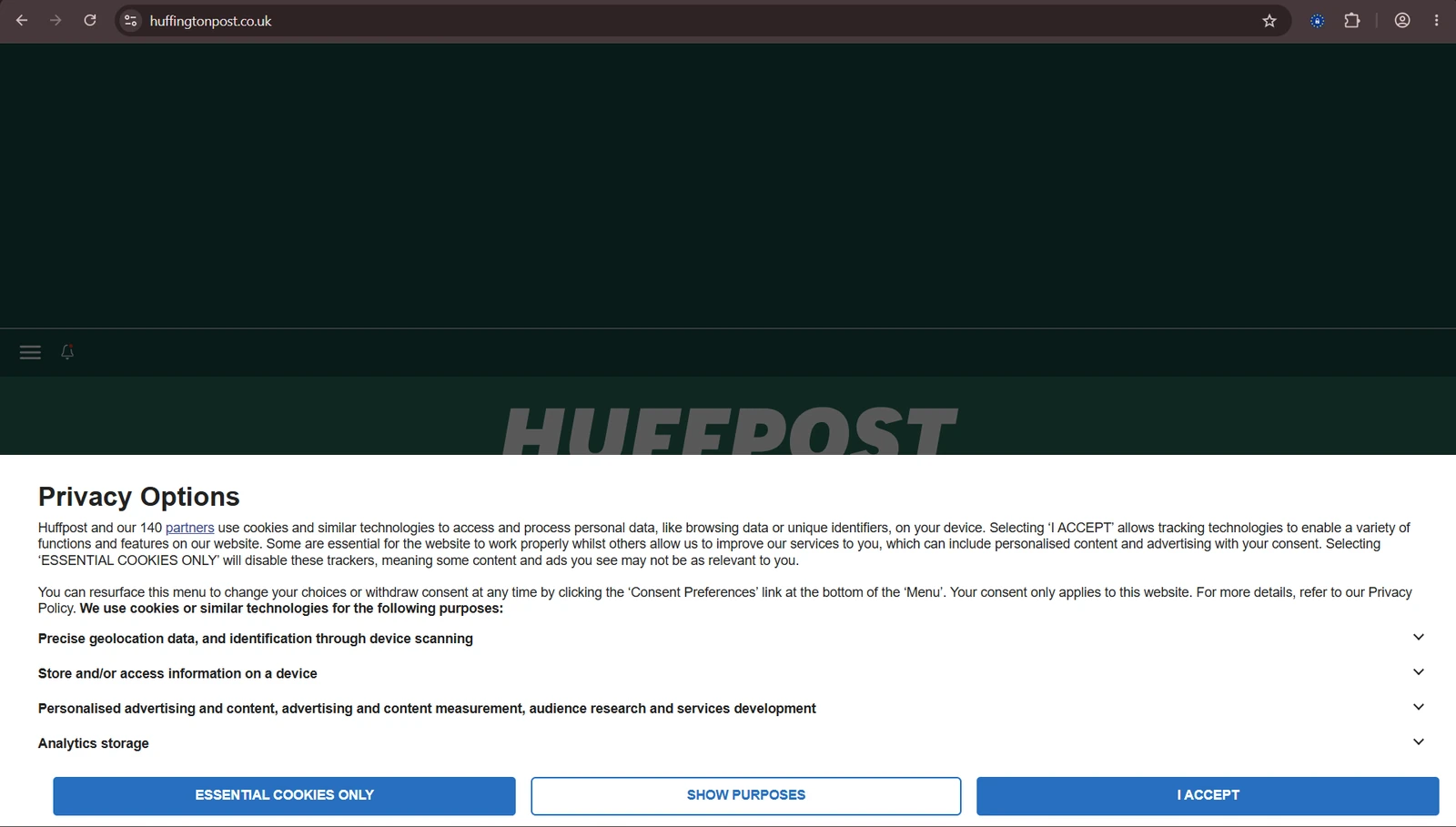
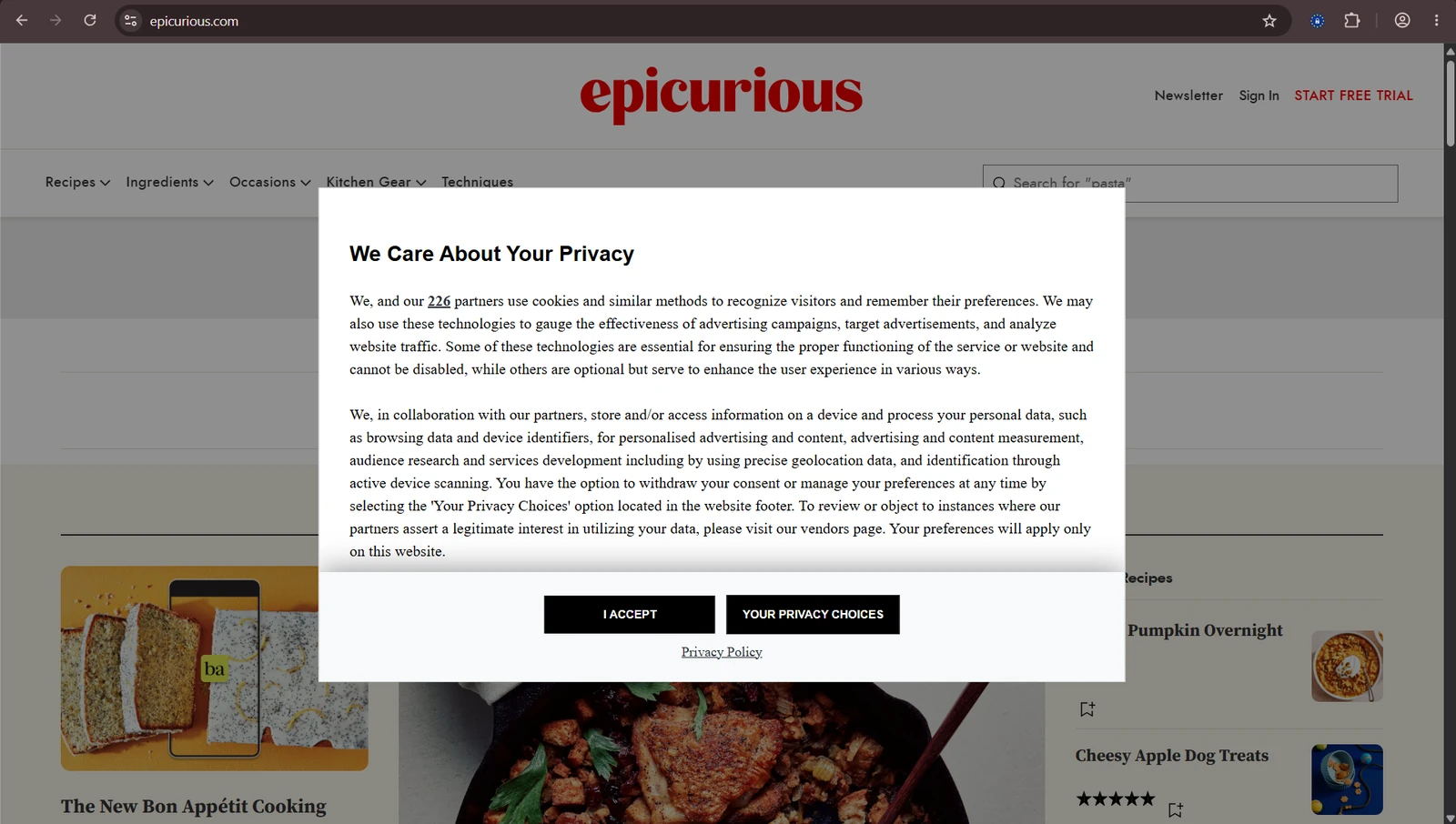
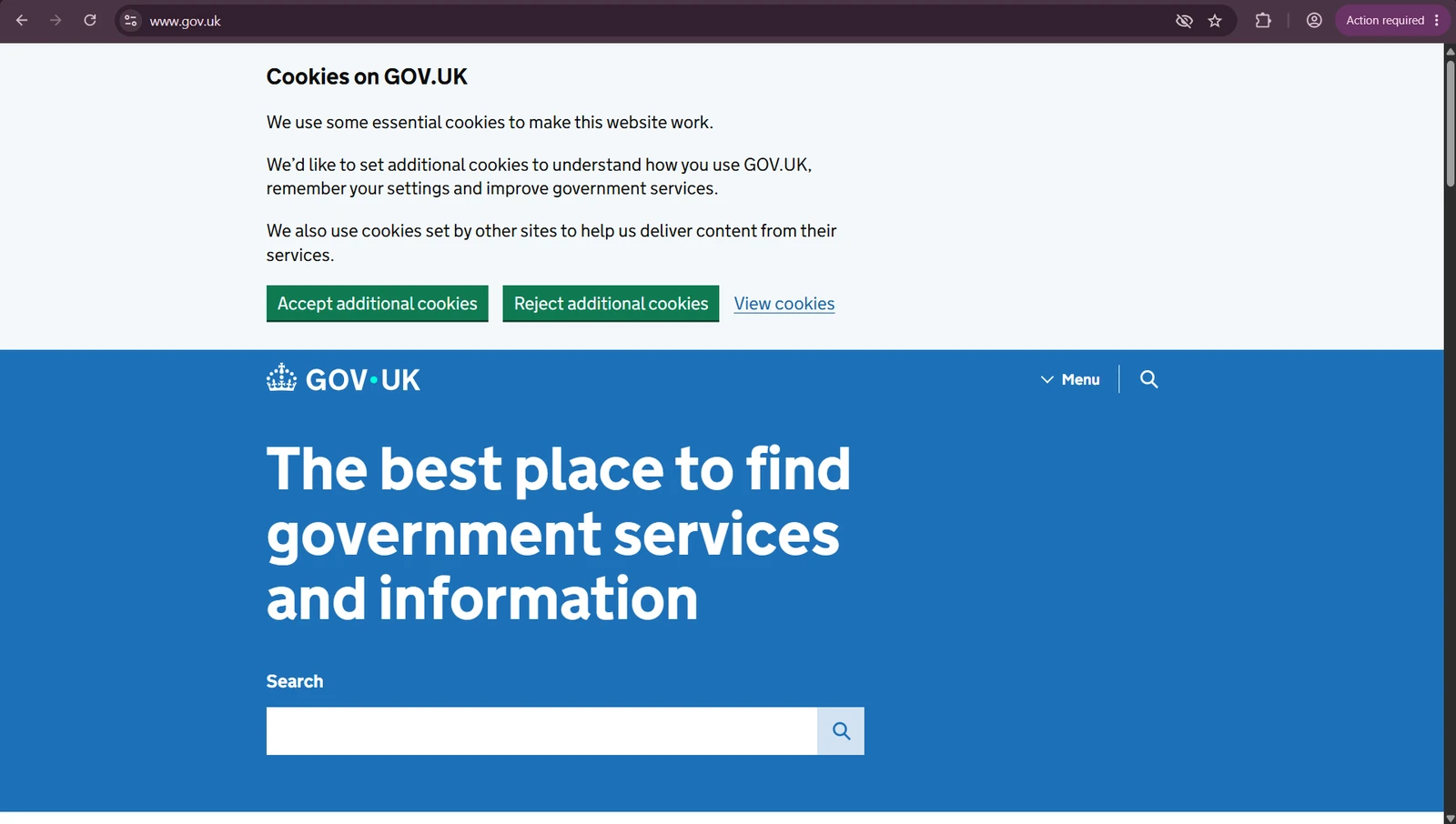
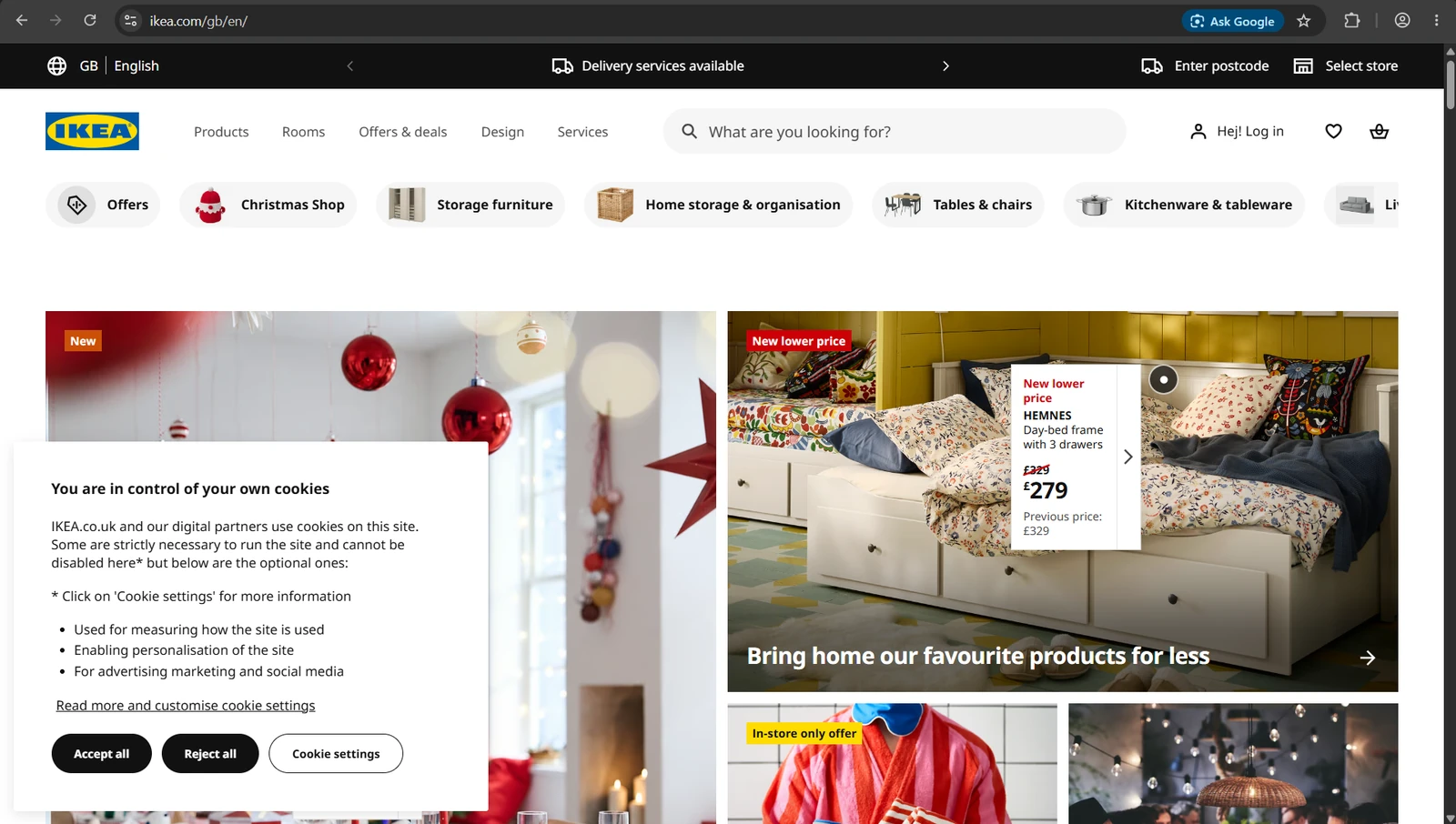
First, a quick peek at what each site looks like the moment I land. All four banners slide in, as expected. Different styles, different wording. Some are so long and complicated you’re never going to read them (HuffPost, I’m looking at you). Others are short and to the point.
Which one would you trust? Two say “Reject” plainly. One has a no, under a different name. And one makes you go digging for it, which tells you a lot about what’s coming.
Scoring the sites: singing or dead
What matters is whether no meant no. Each site can get up to 5 points, and that’s how they end up singing or dead in a heartbeat.
The scorecard · up to 5 points per site
| The banner | 1 point if there’s a way to say no on the first screen, as easy as yes |
| After my no | 2 points if all that’s left is a note remembering my no · 1 if only the site’s own ID stays · 0 if outside trackers are still there |
| Pre-decided? | 1 point if nothing was already switched on for me before I chose (except site functions) |
| Changing my mind | 1 point if there’s a clear link back to my cookie settings |
| The verdict | 🐤 5: the canary sings · 😷 3–4: coughing · 💀 0–2: dead canary |
02 The Cage · The data
After I said no · who was still watching?
Epicurious · 1/5 💀
Still tracking me: 1: Google. Switched on for me, without asking (how kind).
In short: A box already ticked for me. An ID before I’d said hello. And Google’s ad cookie arrived after my no.
HuffPost · 2/5 💀
Still tracking me: 8: Chartbeat, Parse.ly, LiveRamp, Lotame, Prebid, Mixpanel, Taboola… and one with no name at all. Who are you? Chasing them… I found a blank screen.
In short: The banner was fair. Everything else wasn’t. Seven trackers moved in before I’d answered, and none left when I said no. Three aren’t even on its list of partners.
IKEA · 4/5 😷
Still tracking me: 0 – ZERO – NONE – ZILCH. Nice!
In short: Everything optional was already switched off before I’d said a word. Its one troll: its own visitor ID, kept for a year. It stays with IKEA, and nobody else sees it. We’ll deal.
GOV.UK · 5/5 🐤
Still tracking me: 0, as expected. Crème de la crème of sites.
In short: Expectedly brilliant.
Key: 🐤 Singing: no meant no. · 😷 Coughing: mostly respected, one troll left behind. · 💀 Dead canary: I said no and got tracked anyway.
What I saw in Chrome’s DevTools after clicking no, 12–16 November 2026. My reading, not a ruling.
In order of testing, here are the most pertinent comments. I have a whole file on the analysis, but let’s just get to the punch, shall we?
HuffPost UK
2/5 💀 · Dead canary
Before I’d touched the banner, seven tracking companies were already on my laptop. How?! Sirree. Chartbeat and Parse.ly (who’s reading what), LiveRamp (matching you up across sites), Lotame (ad profiles), Prebid (ad auctions), Taboola (those “around the web” links) and Mixpanel (click tracking). And a visitor ID set until 2027. For crying out loud, I just landed here. I haven’t even moved the cursor yet. Don’t think I had time to blink either.
Second eagle-eye moment at the ready. I press the “Essential cookies only” button.
I eye up the cookie consent settings I’ve just set and, sure enough, HuffPost has it down as a perfect no. All 118 partners told no. (The banner said 140. Where are the other 22? No idea. Nowhere I could find.) Not even Google got a yes. So far, perfect. Let’s get that F12 enlightener screen up and triple-check that that’s actually the case.
Ohhhh…
That’ll be a nope then. The cookie jar definitely didn’t get the memo. Every one of those trackers was still there. Not one removed. And get this… a new visitor ID arrived, from a company with no name. After I said NO.
Exhibit A · three trackers that aren’t on the list
| Checked against | HuffPost’s 118-partner list and its privacy policy. No mention of any of these. |
| Parse.ly | Visitor ID until 2027 |
| Mixpanel | Gave my device its own ID before I’d answered |
| sdk.ocmthood.com | Visitor ID until 2027, set after I said no. Blank page. No company publicly linked to it. |
Want to see number 8 caught in the act? The screenshots, and how it made me feel, are in Lab Note 007 →
And while we’re here, a few more from the HuffPost file to raise your hackles.
The ten-year guest who got turned away (and left his coat)
LiveRamp’s job is matching you up: working out that the you on this site is the same you everywhere else. Its cookies can stay for up to ten years.
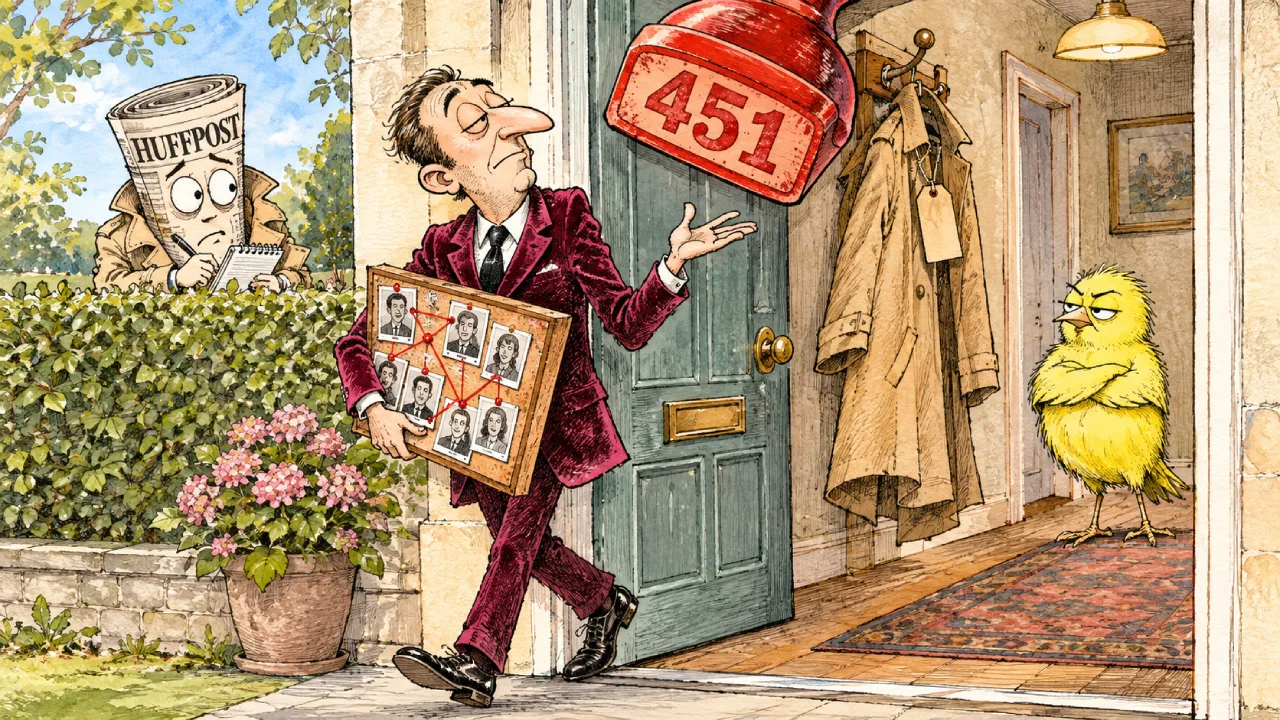
Before I’d even answered the banner, HuffPost’s page knocked on LiveRamp’s door:
Overheard · before I’d answered
HuffPost: Quick one. Who’s this woman?
LiveRamp’s server: Can’t tell you. 451: Unavailable For Legal Reasons.
HuffPost: Right you are.
So LiveRamp said no, on legal grounds, before I’d said a word. Good. Except its cookies stayed on my laptop anyway, and one of them is literally called _lr_retry_request. Its value? true.
Translation: “Not now. We’ll try again later.”
Dumb and dumber: the cookie timer
Lotame builds advertising profiles and keeps them for six years. Fine, at least that’s a number. So I checked how long its cookies last:
Overheard · HuffPost’s cookie panel
Me: How long will this one stay on my laptop?
HuffPost’s panel: NaN seconds.
Me: …Nan as in my nan?
HuffPost’s panel: NaN seconds.
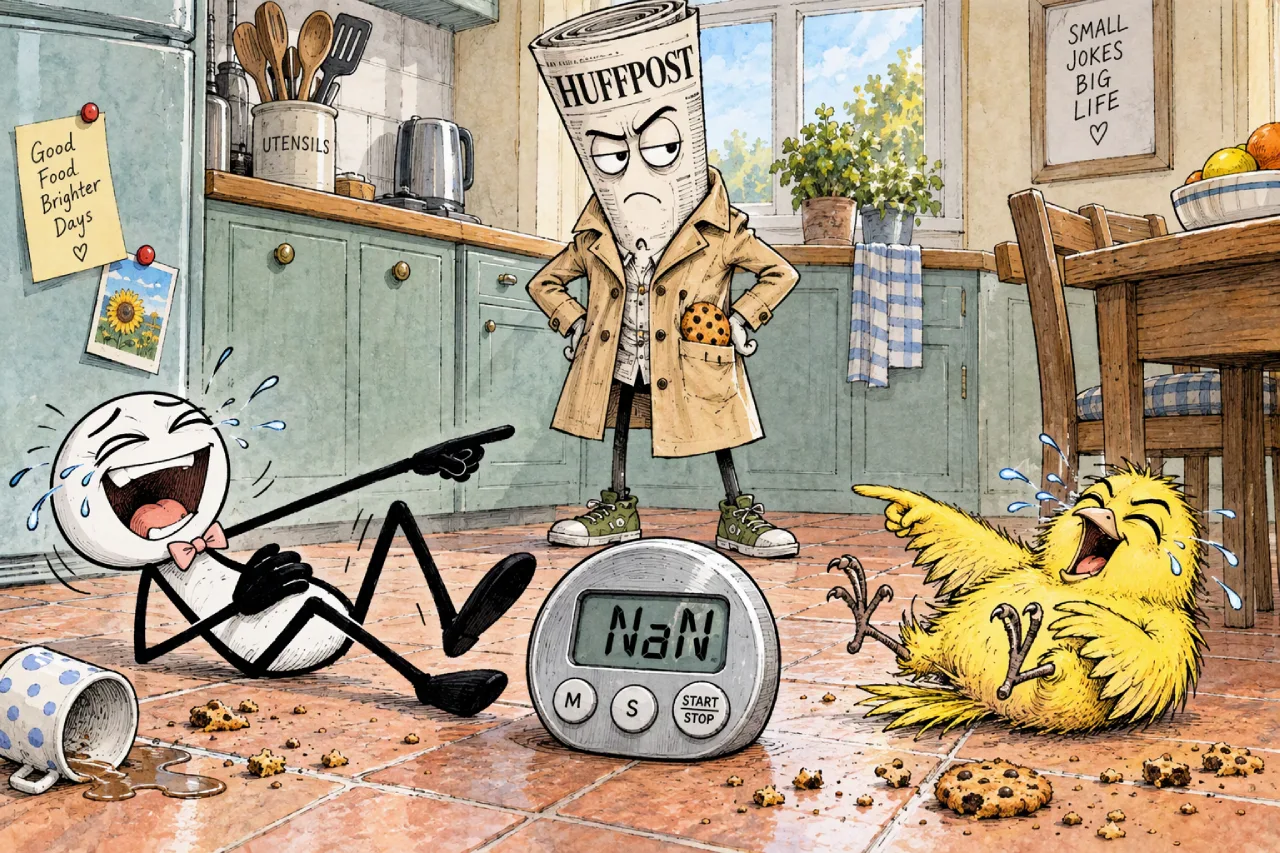
NaN means “Not a Number”. It’s what a computer spits out when a sum goes wrong. That’s the one figure you’re owed on a cookie banner, and it’s gibberish. Am I the dumb one here? I genuinely had to look it up.
The “commercial” drawer with no handle
Every cookie panel has a drawer for things you’re not allowed to switch off. It’s meant for the boring essentials: security, stopping fraud, remembering your choice. Fair enough. (My own site has one of those: a Cloudflare security check.)
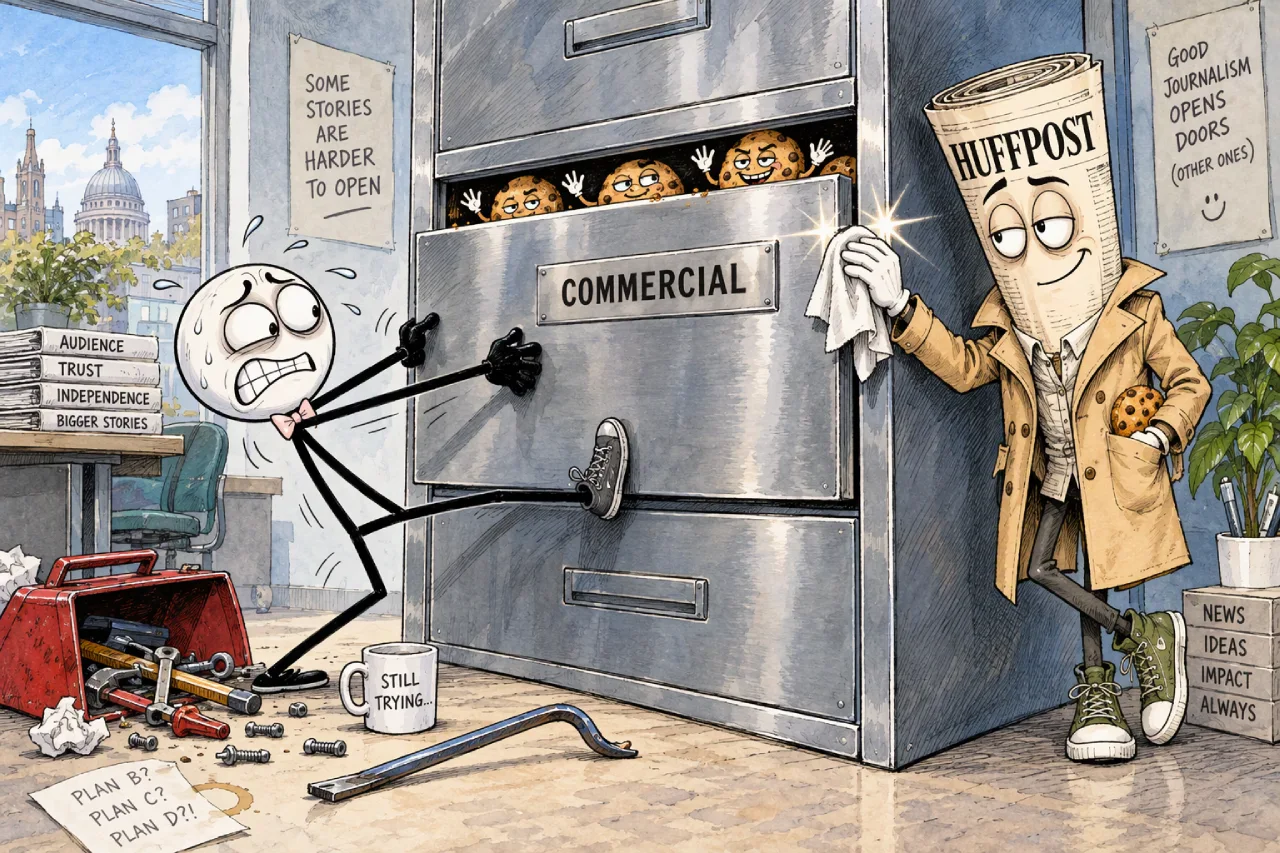
HuffPost has popped some extra things in there: “HuffPost Commercial Cookies”, “BuzzFeed Commercial Cookies”, even “Independent Commercial Cookies”. No toggle. No off switch. Just “commercial”. HuffPost’s and BuzzFeed’s were on my laptop before I’d answered, and survived my no too. Designed to be robust, clearly. Business is business, and business doesn’t have an off switch.
And then there’s Taboola
One unexpected surprise: Taboola, a big digital advertising company and one of the main suppliers of sponsored stories on news and gossip sites. You’ll know its work even if you don’t know the name. It’s behind those boxes at the bottom of articles, headed “More stories from around the web” or “You may like”, full of headlines like “Doctors hate this one weird trick.” Clickbait, basically.
It came with a monstrous wish list: over 50 cookies and trackers to log how far I scroll, how long I stay, even what’s in my basket on other shops.
When I said no, the ads didn’t go anywhere. They even knew roughly where I was. But Taboola didn’t add a thing to my laptop. Ads, yes. Memory, no. Not exactly manners, but more than its neighbours managed.
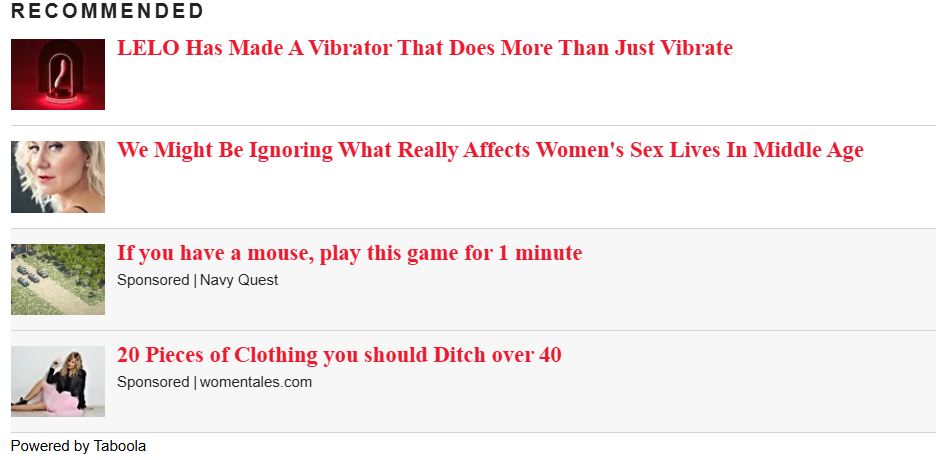
“Essential cookies only.” HuffPost heard “carry on”.
Epicurious
1/5 💀 · Dead canary
Next up: recipes. Yummy. I hope the cookies are just as well behaved.
The first annoyance arrives pretty quickly: there’s no Reject button. Just “I Accept” or “Your Privacy Choices”. One click to say yes, two to say no. Bad form. As I keep saying, web users today are savvy, so this kind of fogging up the picture is intentional. Dark, in my eyes, right from the get-go. Unnecessary, and disrespectful to visitors.
And once again, before I’d even finished landing, I’d already been processed. Three times.
First, you need to know where you’ve landed. Epicurious belongs to Condé Nast, the publishing giant behind Vogue, GQ, The New Yorker and Wired. So you’ve effectively just walked into one of their exclusive parties. And before you’ve taken your coat off, the doorman has already:

- Stamped your hand with a number.
CN_xid: a unique ID, just for you. - Stuck a label on your back.
CN_segments: the “audience segment” they’ve filed you in. Mine saidco.w2647. Who’s in group w2647? No idea. They didn’t say. Maybe I’m VIP. - Pointed you to a room.
CN_journey_bucket: my test group. In other words, which version of the site I get to see while they experiment with what works best. At this point I’m trying really hard not to feel like a guinea pig.
Go and check yours. On epicurious.com, press F12 (the great enlightener), click Application, then Cookies, then www.epicurious.com, and look for CN_segments. And if anyone can enlighten me on what these segments mean, do tell!
All of it set to last until 2027. I hadn’t said yes. I hadn’t said anything. I’d only walked in. Blimey, guv.
So, with no Reject all on the first layer of the banner, I clicked my only other option, “Your Privacy Choices”, and found this lurking in plain sight:
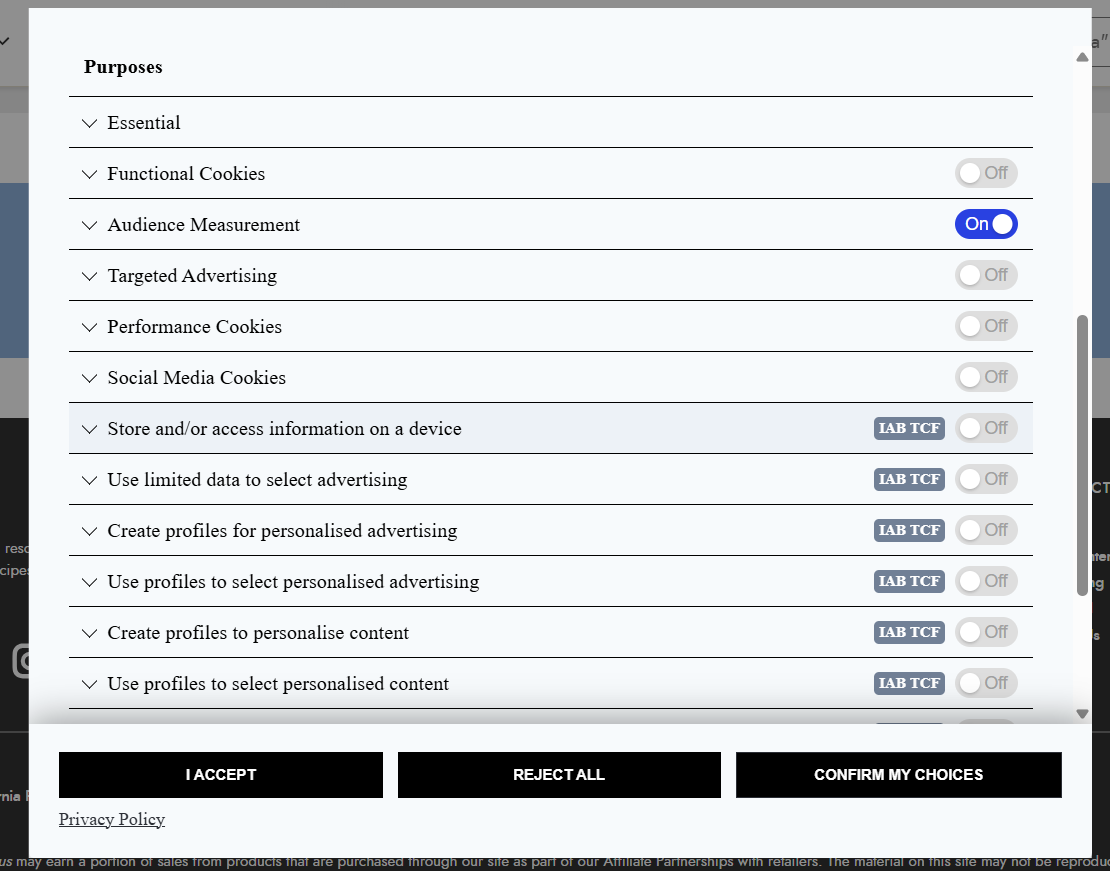
A box ticked for me. How kind. The EU’s top court ruled back in 2019 that a pre-ticked box is not consent. Yet here it is. Ridiculous.
I shifted my cursor down. Click. Reject all.
Then I spent a good while decoding the biblically sized consent record. Of the 222 partners, 221 got a no. One got a yes: Google Advertising. No kidding.
(I’m running out of snide remarks for Epicurious. I’m drying out. A desiccated coconut. My spirit is crying. Can’t see myself visiting again. Time to find a new recipe site.)
That one yes was switched on under “legitimate interest”. Reading between the lines, that’s Google and Epicurious deciding for me that they’ve got a good enough reason not to ask.

Back to the aftermath, the post-reject check, and right on cue: Google’s ad cookie was there, having arrived after my no. And Condé Nast’s ID stayed for the party too. I just couldn’t shake it off.
221 companies heard no. Google heard “maybe later”.
GOV.UK
5/5 🐤 · Singing
At this point, it can only go up, right? We’ve hit pretty much rock bottom with the other two. So here’s hoping for some real, clean site building.
My spirits soar. Two bright green buttons. Same size, same colour.
Click. “Reject additional cookies.”
Can you feel the relief too?
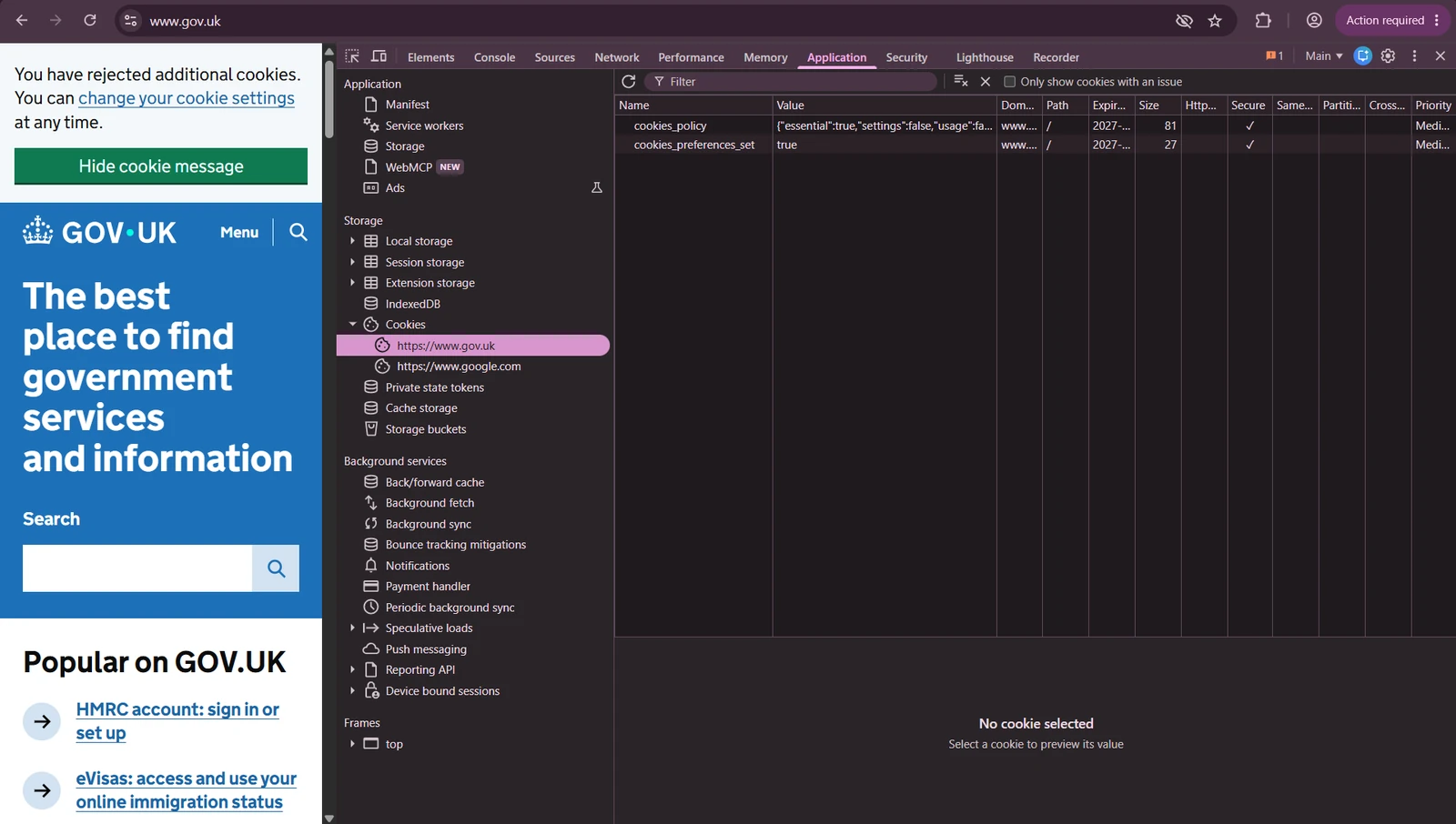
Changing my mind was right there, in the same message. Easy.
Aftermath check: two cookies on my laptop, both just remembering my no. No outsiders at all. Cor. Nice when a site gets it right.
Go and visit it, and feel that calm. The online hustle disappears. It’s an oasis of information, without the pacing and beating drums that split your attention into a hundred chunks.
OK, let’s be grounded here. It’s a government website, so we did actually expect them to get it right. But checking never did any harm. 100% grand.
A non-event. Beautifully, blissfully calm.
IKEA UK
4/5 😷 · Coughing
Now the last one. The big boy. Honestly, I was excited about this one: I actually shop here. Would it be another wreck like HuffPost and Epicurious? Or was there something better to hope for?
My interest was piqued the moment the banner appeared. “You are in control of your own cookies.” Bold. A few short lines, no essay, no list of 200 vendors. And Reject all sitting right next to Accept all, the same size, no hunting.
Hmm. This feels different. Let’s look closer.
I did my usual pre-click check to see what IKEA had already slipped onto my laptop. And here’s the bit I loved: before I’d said a single word, everything optional was already switched off.
Click. Reject all.
Aftermath check: nothing new arrived. No Google, no ad networks, no 200-partner list. Not one outside company, before or after.
Just one troll left behind: IKEA’s own visitor ID. It was there before I’d answered and stayed after my no, set for a year. It stays with IKEA and goes nowhere else. Not perfect, but we’ll deal.
And IKEA had one more trick up its sleeve. But that comes later…
Epicurious assumed yes. IKEA assumed no. Flat-pack honesty.
So there they are: two dead canaries, one singing, and IKEA coughing politely in the corner. Half the time, the button most of us press every day is just for show. And if “Reject all” doesn’t work by hand, it doesn’t work for most people. Full stop.
But not everyone just clicks and hopes. There are people swimming against the current: the tinkerers, the switch-it-off-yourselfers, the build-your-own-tools crowd. Think of the Finns. Linus Torvalds gave the world Linux as a Helsinki student, and they’ve been fiddling with their settings ever since.
So, fab Finns and fellow fiddlers: does doing it the clever way actually work?
Let’s peel the onion.
03 The Onion · The advice, peeled
Round 2: the fab Finnish route?

Super simple. A do-it-yourself browser tweak: fifteen seconds of your time and two clicks.
Have a go yourself. Chrome → Settings → Privacy and security → Third-party cookies. Tick Block third-party cookies. Then, literally just underneath, switch on Send a “Do Not Track” request.
No faffing. Anyone can do it. But does it work?
In a word. Disappointingly. No. I ran all four sites through, and nothing changed. Banners were still there, outside trackers still there and yup, Google’s ad cookie turned up on Epicurious again, right after my no, like clockwork.
Here’s the gap in the fence: trackers don’t need third-party cookies. Open DevTools and look at the Domain column. Parse.ly’s visitor ID isn’t stored under parse.ly. It’s stored under huffingtonpost.co.uk. Same with Chartbeat. HuffPost lets them move in under its own name, so they count as the site’s own cookies and walk straight past the block. Sneaky buggers.
And the “Do Not Track” setting? Chrome tells you itself, the moment you switch it on:
“Many websites will still collect and use your browsing data – for example to improve security, to provide content, services, ads and recommendations on their websites, and to generate reporting statistics.”
Chrome’s own Do Not Track pop-up
Read between the lines: it’s obsolete. Switch it on if you like. Nobody’s listening.
The fab Finnish route: fifteen seconds, two clicks, crash and burn.
Round 3: get a helper
Roll on to the next round. This should be juicy: browser extensions. Many are wonderful (translators, password managers and so on), and there are two types that promise to deal with cookie banners for you: the banner hider and the auto-reject-on-your-behalf-er.
Who’s hanging on to this experiment with me? It’s giving me the jeebies so far. My cookie monster is growing by the round. Hoping for a mass extinction any time soon.
So, on with it. One of each, each in its own fresh, clean, throwaway Chrome profile:
- The banner hider: I Still Don’t Care About Cookies. Its job is to get the banner off your screen, by hiding it or clicking whatever makes it disappear. The name tells you the attitude. It’s not there to say no for you.
- The auto-reject-on-your-behalf-er: Consent-O-Matic, made by privacy researchers at Aarhus University. It opens the settings, switches everything off and saves. Exactly what I did by hand.

I landed on each of the four sites, and this time I didn’t click anything. I eagle-eyed my way through F12 and checked what I got. Honestly, I was rooting for the Aarhus researchers. Wouldn’t you?
The lazy one first. All four banners vanished. On HuffPost it quietly clicked “Essential only” for me, so same result as Round 1: same trackers, same mess. GOV.UK and IKEA were already set to no, so no harm done. But on Epicurious it just hid the banner without answering, and Google never turned up. No ad cookie, even after I scrolled and waited. My careful “no” in Round 1 let Google in. The lazy extension’s “whatever” kept it out. Go figure.
(A hider could just as easily click “Accept” somewhere else. But it does tell you Epicurious only brings Google in once someone answers.)
Now the clever one. Disappointingly lukewarm, at best. On GOV.UK and IKEA, the two best-behaved sites, the banners loaded and slipped away in a blink. Great. But Huff and Puff and Epicurious were clearly built to resist. Their banners loaded and stayed put. Consent-O-Matic couldn’t touch them.
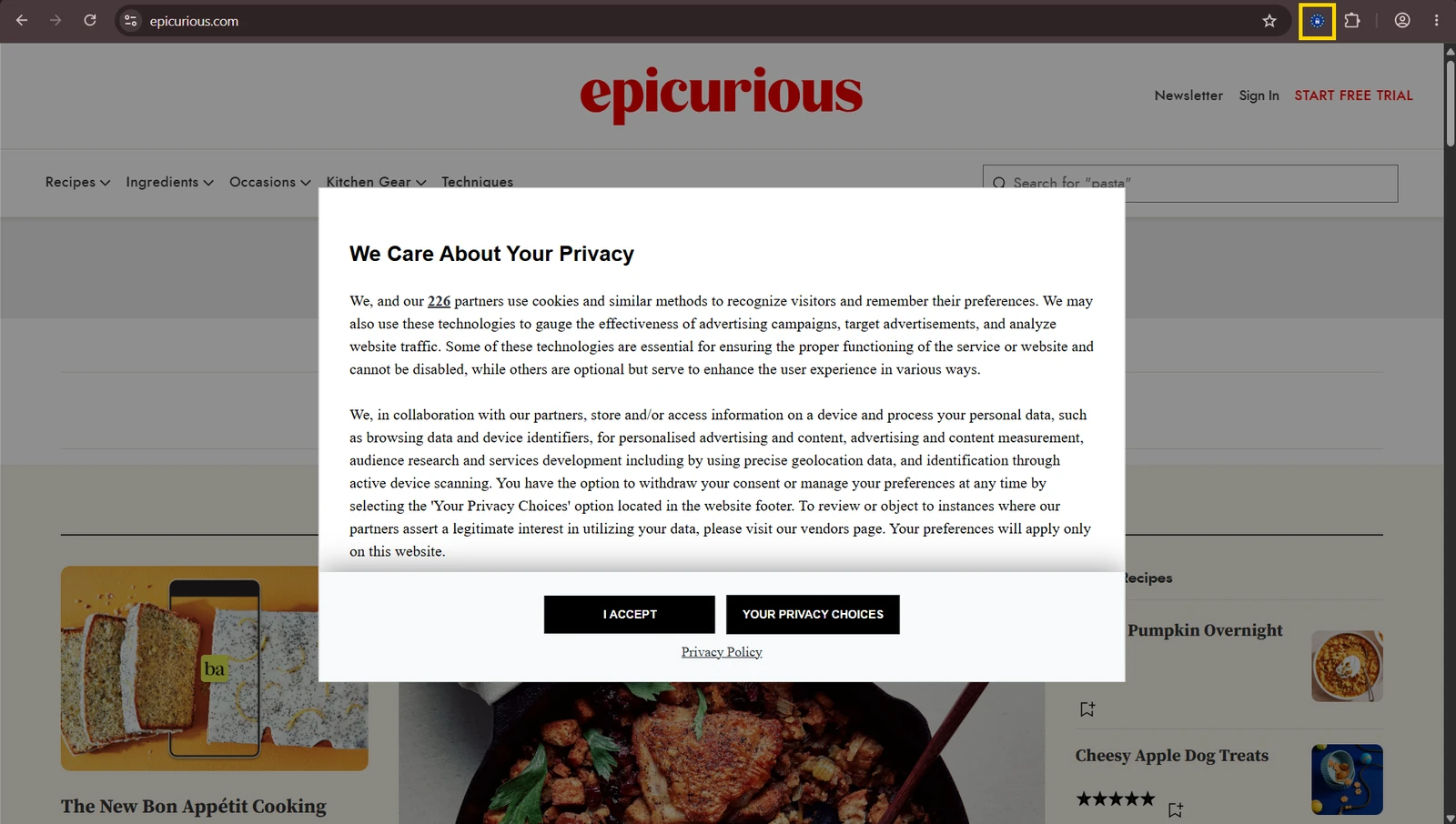
On the two sites that needed it most, it couldn’t get a foot in the door.
The lazy one: didn’t care, and fluked a win.
The clever one: cared a lot, and still couldn’t get in.
Round 4: trying out the Brave browser
Blimey, I’m a shameless Chrome user. Out of ease and not much else, to be honest. Before this investigation I’d never used Brave. No expectations.
After the first three rounds, my hopes were ground to dust. Are we all doomed to be chased around by trackers and watchers? It feels cunning, deceptive and intrusive. So, doom and gloom. Anyhow, what has Brave got to say for itself?
Why Brave? It’s the browser that blocks things for you, before they even load. It hasn’t always had an easy ride. Back in 2020 it was caught slipping its own referral codes into some crypto-exchange web addresses, the kind of slip that loses you customers fast, and trust is hard to win back. But that aside: how is it now?
Its own tagline is “The browser that puts you first”, and it promises a lot out of the box. It blocks third-party ads on every website, including video, search and social media ads, blocks cookie consent pop-ups, and says its Shields block tracking and fingerprinting, with Global Privacy Control on by default. (Keep that last one in mind. It matters in a minute.) It even claims pages load 3x–6x faster. Big promises. Time to check them.
I downloaded it, imported nothing, changed nothing. Out of the box, it blocks trackers and ads, blocks third-party cookies, and has a “Cookie notice blocker” already ticked. Nice defaults. Ready to go. Simple Simon says easy.
I didn’t click a single banner.
Here’s the lowdown, and boy, was it impressive. There’s life in the old bones yet.
| HuffPost | |
| 13 | blocked. Only BuzzFeed’s own IDs left. Chartbeat, Parse.ly, LiveRamp, Lotame and the nameless script: all gone. |
| Epicurious | |
| 7 | blocked. Only Condé Nast’s own IDs left. No Google. |
| GOV.UK | |
| 0 | blocked. Nothing to block. |
| IKEA | |
| 1 | blocked. IKEA’s own ID, plus a recorded no. |
For any DIYers still reading: here’s how. Go to brave.com (or the App Store / Google Play). Install it, and when it offers to import your stuff from Chrome, skip it if you want a clean start. Don’t change a thing. Open your favourite news site and click the lion icon in the address bar to see what it blocked.

But then, folks, are you ready? Put your coffee down. Here’s the slam dunk, the bit that made me sit back in my chair.
IKEA said no for me.
Brave quietly sends every site a signal called Global Privacy Control: a built-in “please don’t sell or share my data”. Sites can choose to listen or ignore it.
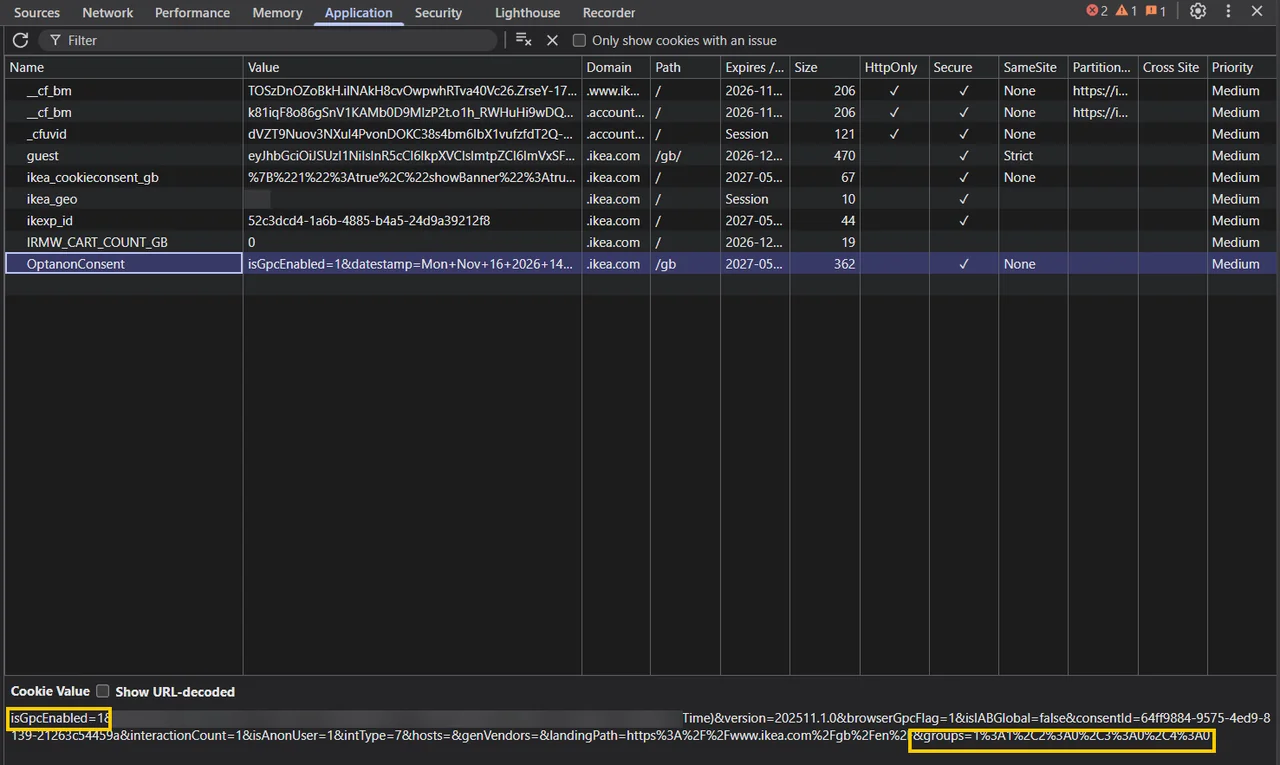
IKEA listened. It read Brave’s signal and recorded no to everything optional, without me even touching the banner.
Compare plain Chrome. IKEA’s trackers were off too. But as far as IKEA was concerned, I hadn’t replied yet. An unanswered invitation. So it asked, and up popped the banner.
In Brave, the RSVP was already in. Brave said “no thanks” on my behalf, IKEA wrote it down, and stopped asking.
For the DevTools crowd, here’s IKEA’s own paperwork:
| IKEA’s own record | Brave | Chrome |
|---|---|---|
isGpcEnabledHeard the signal? | 1 | 0 |
interactionCountAnswer recorded? | 1 | 0 |
groups 2, 3, 4Optional cookies | 0 | 0 |
How I tested, step by step, and the five-minute check you can run on your own site: Lab Note 007 →
The others? Not a peep. HuffPost and Epicurious left the invitation unanswered: no reply recorded at all. Brave just hid their banners and blocked the trackers itself. GOV.UK didn’t need an RSVP: it was already set to no.
Out of four sites, one heard the signal and answered politely. Take a bow, IKEA.
Brave can’t stop a site remembering you itself. It just keeps the outsiders out. Fair enough.
The verdict table
| Site | 1 | 2 | 3a | 3b | 4 |
|---|---|---|---|---|---|
| HuffPost | 💀 | 💀 | 💀 | ❌ | 😷 |
| Epicurious | 💀 | 💀 | 😷 | ❌ | 😷 |
| GOV.UK | 🐤 | 🐤 | 🐤 | 🐤 | 🐤 |
| IKEA | 😷 | 😷 | 😷 | 😷 | 😷* |
HuffPost and Epicurious: abysmal. One loaded seven trackers before I’d answered and cleared none of them. The other ticked a box for me and left Google on. Whether that’s legal is for a regulator to decide. Whether it’s rubbish is for me. It’s rubbish.
GOV.UK: exactly what it should be.
IKEA and Brave: the two wows. IKEA proves a big company can get this right. Brave proves you don’t have to wait for the rest to catch up.
Gone isn’t the same as no.
04 The Open Door · What actually works
Golden yellow IKEA
IKEA uses OneTrust, the same consent tool as plenty of sites that do it badly. That tool can be set up to pre-tick boxes, hide Reject all, join the ad industry’s 200-partner club and ignore Brave’s signal. IKEA chose the opposite. Every single time.
That doesn’t happen by accident. Somebody, somewhere, sat in a meeting and said: the customer comes first. And then actually built it.
Whoever you are, I’d love to meet you. A proper tech talk over a cuppa. Respect.
So, after all that flapping about… what have we learned?
- Keep clicking Reject all. It doesn’t always work, but it’s your no on the record.
- “Gone” isn’t the same as “no”. A banner disappearing tells you nothing about what was decided behind it.
- Don’t bother with Do Not Track. Nobody’s listening.
- Extensions are a coin toss. The lazy one fluked a win; the clever one gave up when it mattered.
- If you want it done for you, try Brave. Free, and it did more than everything else I tried put together. Not perfect, but bloody close.
- Not everyone’s at it. IKEA got it right, quietly. The good ones are out there. They just don’t make noise.
- Want to check a favourite site for yourself? Press F12, click Application, then Cookies. That’s all I did. (Or drop me a comment below and I’ll have a wee look for you.)

05 The Song · Over to you
So that’s my little office experiment done. Four sites, four rounds, a lot of coffee, and one very sore F12 key.
Oh, and this site? Canary & Onion has no cookie banner at all. Not because I forgot one. There’s simply nothing here that needs to ask.
No ads, no third-party trackers. Just one cookie: a Cloudflare security check, making sure you’re a person, not a bot. It doesn’t know who you are and it doesn’t follow you anywhere. It’s listed, out in the open, on the Glass Cage page.
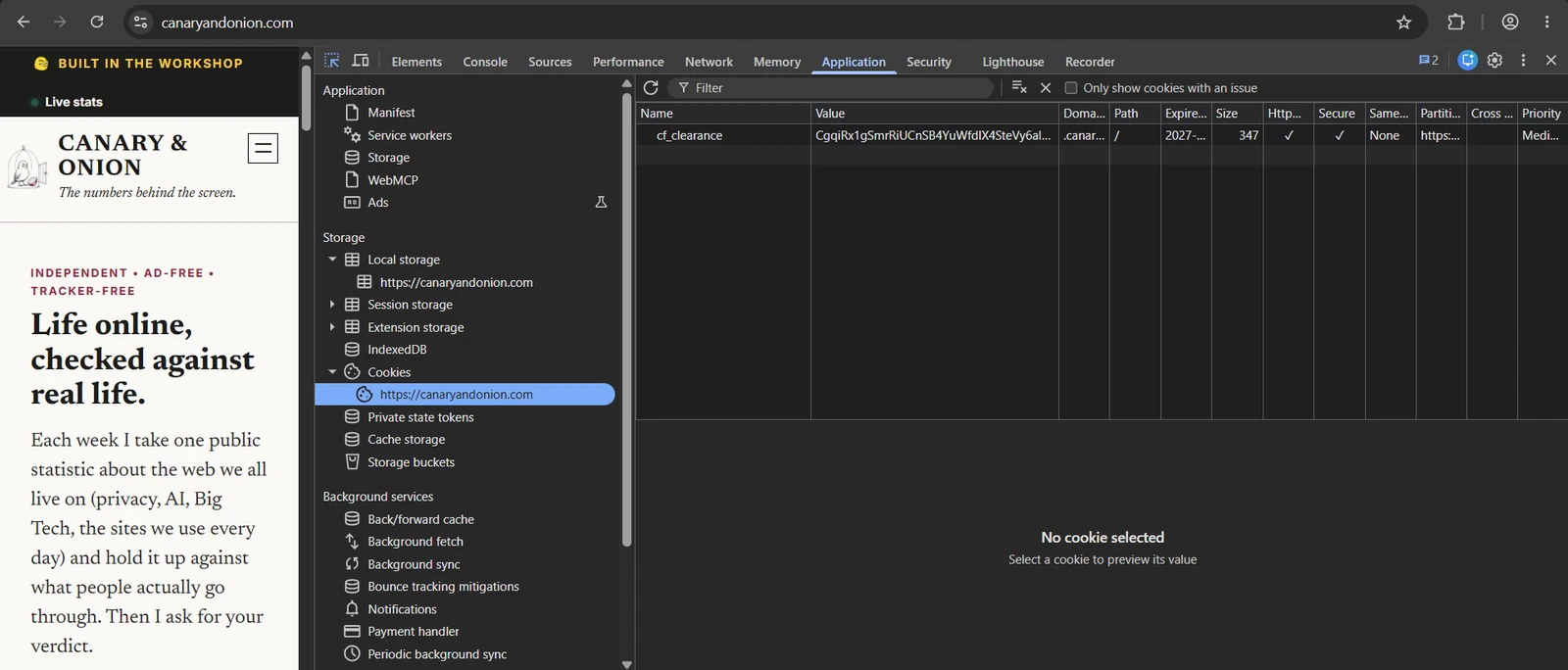
Canary & Onion is independent and proud of it. It’s a harder life being completely organically grown, but I’m hoping to become part of a loyal network of real communicators. The really satisfying kind of conversation.
So enjoy your read, and know you’re just fine here.
Now it’s over to you. Cast your vote below, then chat with me in the comments.
Over to you
What’s your verdict?
When the banner disappears, do you care whether it actually said no?
Tap an answer to vote. Anonymous, no cookies.
One tap, no cookies, no account. Then see how everyone else voted.
See every verdict →The Dossier
The Canary (The Sites)
- HuffPost UK: huffingtonpost.co.uk (tested 12–16 November 2026)
This is the one that says “Essential cookies only” on the first screen and then carries on regardless. Open DevTools and see for yourself. - HuffPost UK: “‘The Liking Gap’ explained” (Taboola box seen 16 November 2026)
This is the article where Taboola kept showing me sponsored ads after my no. Scroll to the bottom and you’ll see them. - Epicurious: epicurious.com (tested 12–16 November 2026)
The site with no first-screen no, a pre-ticked box, and cookies set until 2027 before you’ve even answered. Bring a spade. - GOV.UK: gov.uk and “Cookies on GOV.UK”
The singing canary. Their cookie page is the gold standard: every cookie listed in plain English, with what it does and how long it stays. - IKEA UK: ikea.com/gb/en (tested 15–16 November 2026)
Honest defaults, no outside trackers, and the only site that heard Brave’s quiet “no”.
The Tools (The Rounds)
- Google: “Turn ‘Do Not Track’ on or off” (Chrome Help)
This is the Round 2 setting. Read the small print: Google’s own help page admits that most websites, Google’s included, ignore it. - GitHub: “I Still Don’t Care About Cookies”
The Round 3a lazy hider. It’s a community-run copy of the original extension, made by volunteers who didn’t fancy what happened next (see below). - The Register: “I Don’t Care About Cookies sold to Avast” (21 September 2022)
This is what happened next. A cookie-banner hider was bought by a company that has been in trouble before over selling browsing data. You can see why people baulked at the idea. - Aarhus University: “Consent-O-Matic”
The Round 3b rejecter extension, built by university researchers. It reads the banner and says no for you, everywhere. It’s clever, free and has no business model. - Brave: brave.com (accessed November 2026)
The Round 4 browser. It blocks trackers out of the box and sends the Global Privacy Control signal. - Brave: “Blocking annoying and privacy-harming cookie consent banners”
Brave explains how its cookie-notice blocker works, in its own words. - Engadget: “Brave privacy browser ‘mistake’ added affiliate links to crypto URLs”
Brave isn’t a saint. In 2020 it slipped referral codes into web addresses people typed, then apologised. Yellow hasn’t forgotten. - Global Privacy Control: globalprivacycontrol.org
The signal that says “don’t sell or share my data” before a banner even loads. Brave sends it automatically. IKEA listened. Nobody else did.
The Raw Ledger (Rules & Regulators)
- EUR-Lex: Planet49, Case C-673/17 (1 October 2019)
Europe’s top court ruled that a pre-ticked box is not consent. Epicurious, take note. - IAB Europe: “CJEU judgment of 7 March 2024 in TCF case”
The ad industry’s own write-up of a court ruling about its consent system. It’s the system behind HuffPost’s euconsent-v2 string. Read it to see how the industry spins a loss. - ITPro: “ICO threatens to name and shame cookie consent rogues”
The UK regulator’s position in plain English. Sites can still show you ads after “Reject all”, but not ads tailored to you. That explains Taboola.
The Deep Read (What’s Happening Now)
- TechSpot: “Clicking ‘reject’ on cookies might not actually do anything” (14 April 2026)
An audit found tech giants still tracking people who’d said no. It’s my experiment at internet scale, so it’s not just me and my DevTools. - noyb: “Cookie Banners”
noyb is the European privacy group that files complaints against dodgy banners by the hundred. They’re doing what I did, with lawyers. - TechCentral.ie: “European member states and Google still want to keep cookie banners” (2 July 2026)
If you were hoping banners would vanish soon, they won’t. Europe’s plan to scrap them has been quietly dropped. - Canary & Onion: Learn GDPR. Accept All First.
My earlier run-in with a GDPR course whose own banner wanted “Accept all” first. - Canary & Onion: Slaying the Dragon or Duct-Taping Your Windows? Spain v Finland
The Finnish privacy story behind Round 2’s “fab Finnish route”.
Community Dispatch
The Commentary
Have you ever opened DevTools on a site you use? What did you find?
Answer the question, share a story, or just tell me what you thought.
Zero cookies, no accounts, no tracking.
Leave a Reply