
 The Glass Cage
A friend asked if she could listen to my stories in the car. The browser’s voice nearly ruined one. So I read it myself, with a phone, a pillow and a free editor.
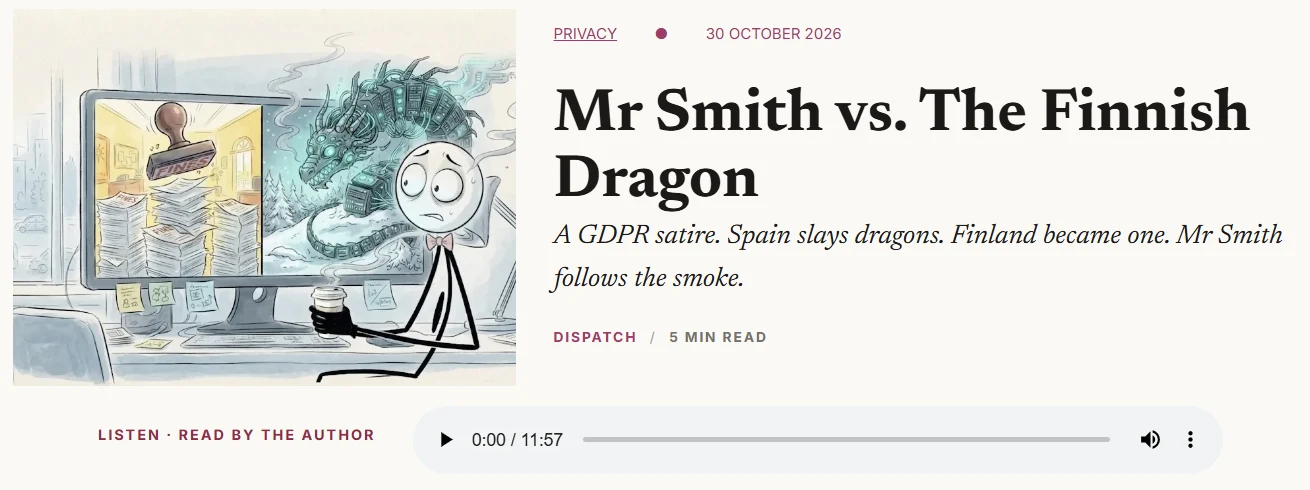
Hear it for yourself: Mr Smith vs. The Finnish Dragon, read by the author. The play button is just under the headline.
1 · The problem
I was chatting with a friend, and she said that she’s usually so busy that what helps her most is being able to listen to short articles: in the car, on the commute, wherever. That made total sense. So I wanted my Mr Smith stories to have a play button.
The first thing I tried, that same day, was the browser’s own built-in voice. Every browser can read a page aloud, and it only takes a few lines of code. I coded it, put it on, and pressed play. Even on a nice Samsung phone and a new laptop, it sounded horrific. Flat, robotic: death to Mr Smith. After so much effort and passion had gone into that story, it just destroyed it. So I killed it straight away. Death to the browser voice, not to Mr Smith.
The obvious next step would have been an AI voice service. But that means sending my story off to someone else’s company, and usually a player from them on my page too. Not on a site that promises no trackers.
Driving the kids to school, it came to me: the best voice for the story is the person who wrote it. I’m the one who feels it. The only trouble was, I didn’t think I could do it. Every YouTube channel has big microphones and lights and all sorts. I had my laptop and my phone. A nice phone, but still just a phone.
2 · What I did
Recording: a phone on a pillow
- The phone is the microphone. Its mic is better than the laptop’s. I used Samsung’s own Voice Recorder app, on its high-quality setting.
- A quiet, soft room. Soft things like a bed and curtains soak up echo. Windows shut, phone on Do Not Disturb.
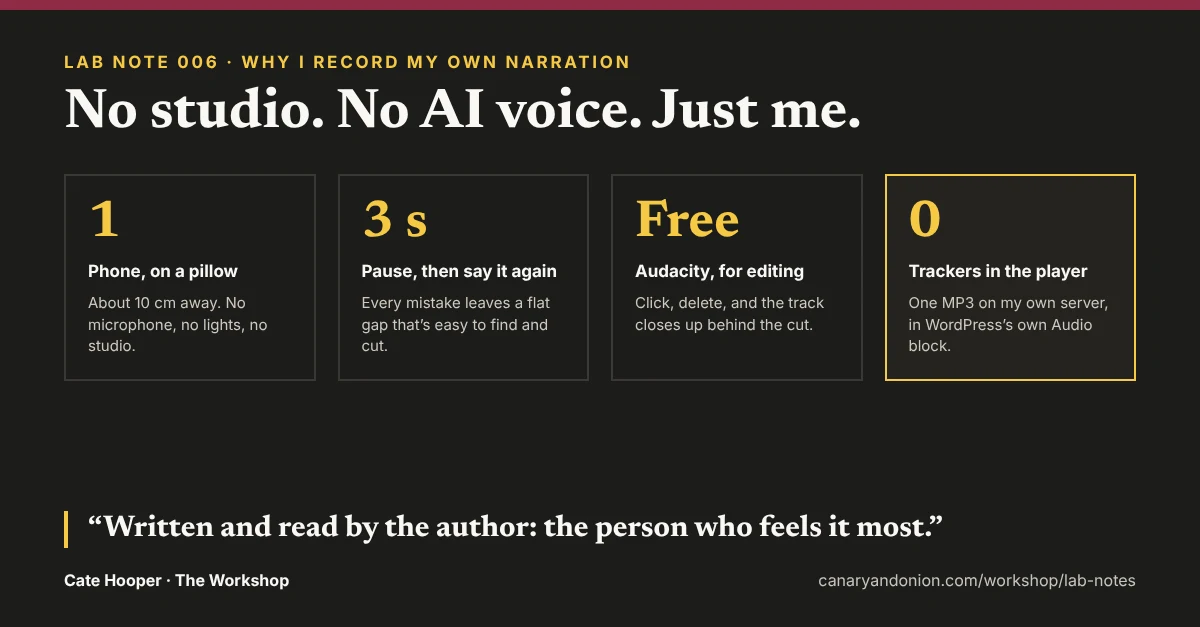
- On a pillow, about 10 cm from my mouth. Not in my hand, because hands make rustling noises.
- Six seconds of silence first. That gives a sample of the room’s own background noise, to clean up later.
- Mistakes? Don’t stop. This was the trick that made it possible. Every time I stumbled, I just paused for two or three seconds and said the sentence again. The pause shows up as a flat gap, so the mistakes are easy to find later. I didn’t have to worry at all.
In the end, I did it in about two goes. I probably could have done it in one: I was mostly fiddling with how the app worked.
Editing: Audacity, free

I thought editing would be really difficult. It wasn’t. You can see your voice as a wave, and every mistake has a flat gap right after it. All I did was select the botched bit with the mouse and press Delete, and the rest of the track just shuffled up to close the gap. Brilliant.
One snag hit: my phone saves recordings as .m4a files, and Audacity didn’t want to see them. Typing *.* into the file-name box of the import window showed every file, and that got it in.
The finishing touches
This time, Claude did the last polish for me. Next time, I’ll do it myself in Audacity. Here’s what it was:
- Noise reduction, gently. Those six silent seconds told the software what “just the room” sounds like, so it could take that hiss out everywhere else. My room was already quiet, so it only needed a light touch. Too much makes a voice sound underwater. (Audacity: Effect → Noise Removal and Repair → Noise Reduction.)
- Even out the volume. My recording was a bit quiet, so it was raised to the usual level for spoken word, with a safety ceiling so a loud moment can’t crackle. That way nobody has to turn their volume right up. (Audacity: Effect → Volume and Compression → Loudness Normalization, −19 LUFS.)
- Tidy the ends. About half a second of silence before the first word, and a clean finish.
- Edit in WAV, publish in MP3. WAV is full quality, best for editing, but huge. MP3 is the small version for the website. One voice doesn’t need stereo either, so it’s mono. The title and my name went into the file’s details.
On the website: WordPress’s own Audio block
Adding audio to a website usually means bringing someone else in. Podcast services and audio sites like SoundCloud give you a player to embed, and text-to-speech plugins send your words off to be read by their AI voice. Either way, you’ve got another company’s code on your page, and that often means cookies and trackers along with it. On a site that promises none, that’s a no.
So I did it the simple way: one MP3, uploaded to my own media library on my own server, played by WordPress’s own Audio block. No plugin, no third-party player, no cookies. The player only loads the file’s details at first, just a few kilobytes, so it can show how long it is. The full file only downloads when someone presses play, which keeps the page fast. And the written story on the same page doubles as the transcript.
Most sites add audio with a plugin or someone else’s player. Mine is one MP3 and WordPress’s own Audio block: no plugin, no cookies, no trackers.
3 · What surprised me
A five-minute read is a twelve-minute listen. The page says “5 min read”, and my recording is nearly twelve minutes. At first I thought I’d been far too slow. But reading aloud is simply much slower than reading in your head. The reading time measures silent reading, and that’s right for the page.
Editing was the easy part. I expected it to be the hardest. Click, delete, done.
Putting my voice out there felt strange. I was really proud of myself. But I’m not used to audio work, and I like to see the people I’m talking to. I wouldn’t say I’m shy, but speaking without knowing who’s listening was a new one on me. What settled it: nobody hears me unless they choose to. They press play, and they can always press stop. I’m not intruding.
4 · The receipts
The real numbers, straight through the open door
- 1 phone, 1 pillow, 0 microphones (no studio needed)
- About 2 takes (I could probably have done it in 1)
- 14 → 12 minutes, before and after cutting the mistakes (click and delete)
- 8.6 MB MP3 (small enough for mobile data)
- 0 third-party players, 0 trackers (my file, my server)
5 · What I’d do differently
Honestly, I’m not sure I’d do anything differently. This wasn’t a mistake I fixed. It was an idea I followed, because someone gave me feedback. Maybe I could have asked for feedback sooner, but the site is only a few weeks old. What it really showed me is how much talking your ideas through with people matters. I’d never have thought of audio on my own, and I’m really pleased I did it. I just hope the next piece of feedback isn’t “make a video”. My voice is one thing. Me, physically in the shot? That’s a big jump.
6 · What this means for your site
If people would rather listen than read, you can give them that without a podcast service or an AI voice. Record on your phone, tidy it in a free editor, and upload one MP3 to your own site. Your real voice is worth more to your readers than a perfect one.
The spec sheet
Recorded on
A Samsung phone, Voice Recorder app, high quality
Edited in
Audacity (free)
File
MP3, mono, 96 kbps, about 12 minutes
Player
WordPress’s own Audio block, loading details only until play
Privacy rule
Hosted on my own server. No AI voice service, no third-party player
Plugins added
None
Built with
A phone, a pillow, Audacity and one Audio block