
 The Glass Cage
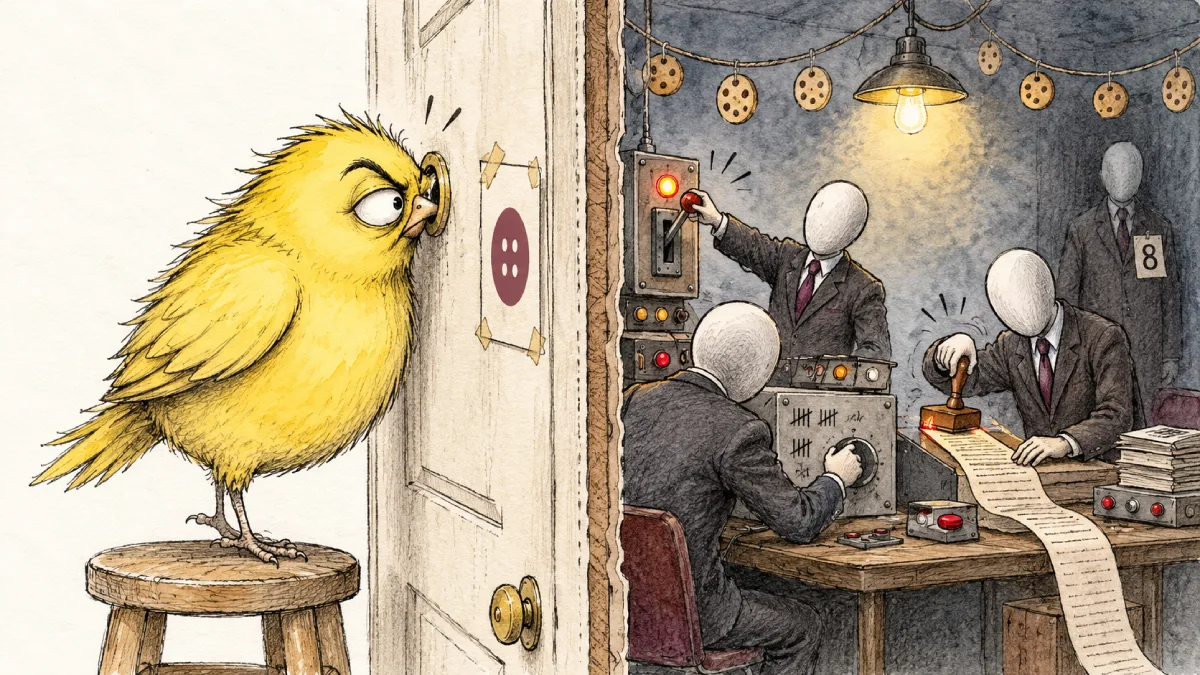
I thought Reject all was a switch. Press it, the cookies go. Boom. All over. It wasn’t. When I looked behind it, I found a peephole: a little view of the people on the other side, and the choices they made about me.
See the full results of my little investigation: The Reject All Button Is Lying to You, with every banner, every count and every screenshot.
1 · The problem
Every website asks. Accept or reject. I always press Reject all, and I’d always assumed that meant a blanket wipeout: no, so nothing stays. Job done.
I’d never actually checked. And I build websites. If I don’t know what Reject all really does, how can I set one up properly for anyone else?
So I took four sites I’ve used fairly regularly, a news site, a recipe site, a government site and a shop, and pressed no. Then I opened the bonnet and looked at what was left.
2 · What I did
No special tools. Just F12.
Every browser has its own toolbox for web builders, hidden behind the F12 key. One tab, Application, lists every cookie a site has given you, and which company it belongs to. That was my whole lab. Simple, huh? But very enlightening, I can tell you.
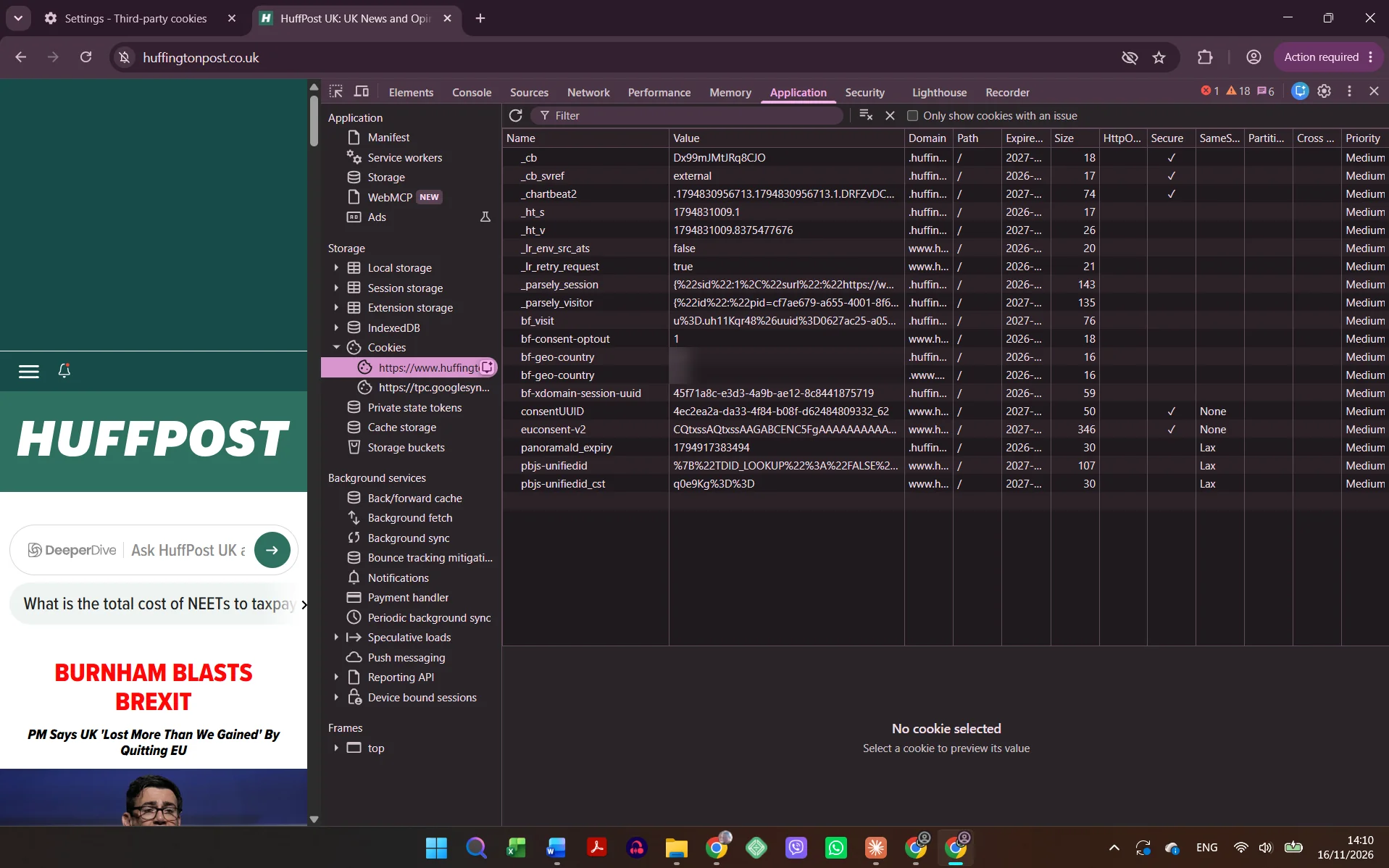
- Four sites: HuffPost UK, Epicurious, GOV.UK and IKEA.
- Before and after. I listed the cookies the moment the page opened, before I’d answered anything. Then I pressed no, reloaded, and listed them again.
- Four rounds. By hand in Chrome. Then Chrome’s own privacy settings. Then two extensions that promise to deal with banners for you. Then Brave, straight out of the box.
- A clean start every time. Each round got its own fresh, throwaway browser profile, so nothing from the round before could sneak in.
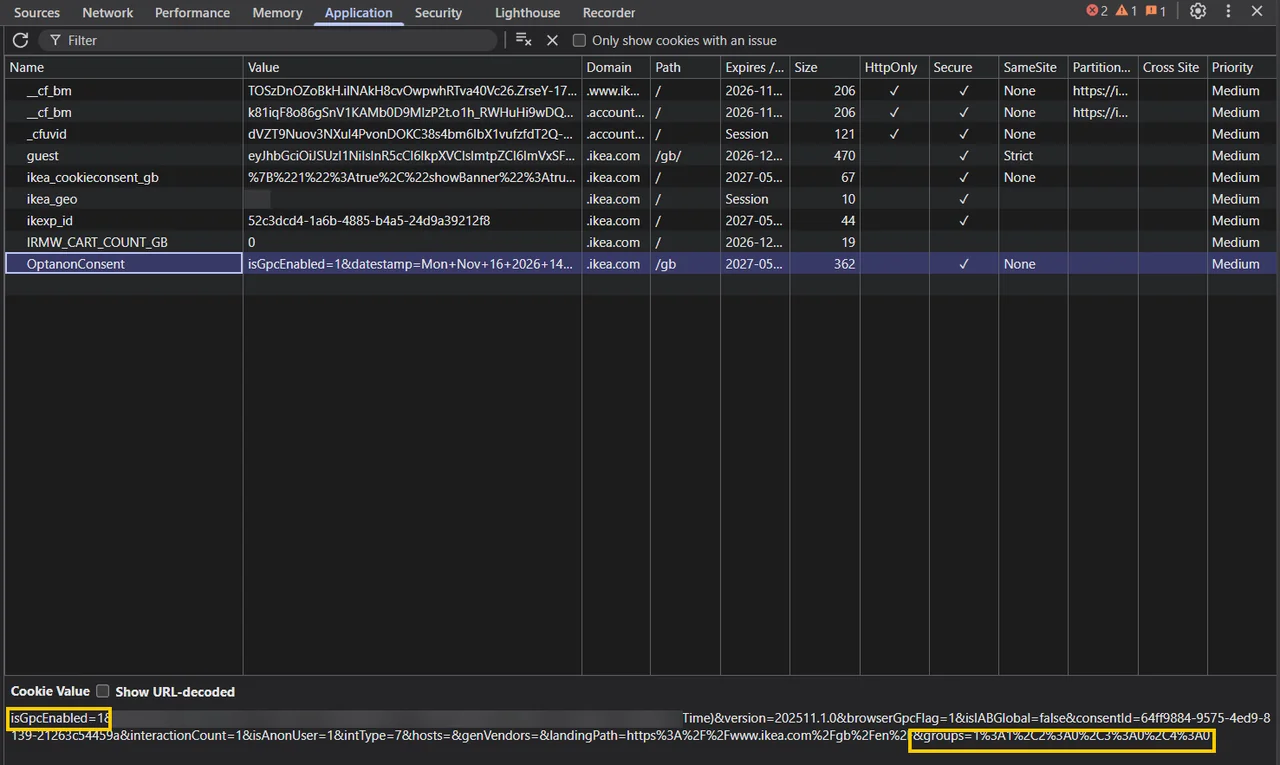
- Reading the site’s own paperwork. Some consent tools leave a note in your browser saying what you answered. IKEA’s is called OptanonConsent. Decoded, it tells you whether the site heard your no, and whether it heard your browser’s “please don’t track me” signal.
That last one was the real eye-opener. Same signal, sent by the same browser. IKEA wrote it down. The others didn’t even record that I’d answered. That alone tells me something about how IKEA’s developers work.
A consent tool is a set of choices
You see, IKEA uses OneTrust, the same consent tool as plenty of sites that do it badly. The tool lets the site owner decide: what’s switched on before you’ve said a word, whether Reject all sits next to Accept all or hides behind the small print, and whether your browser’s signal counts.
So it isn’t the software. It’s the setup. And somebody chose that setup.
Every cookie banner was set up by a person. What they switched on for you shows how much they respect you.
3 · What surprised me
No didn’t mean nothing. On HuffPost, eight outside trackers stayed after I’d said no. Epicurious said no to 221 partners and quietly kept Google switched on, under “legitimate interest”. I’d expected a clean slate after Reject all. I got a sorting office, my data going every which way and back again. It felt like pressing dummy buttons: there for show, and mostly doing nothing.
Number 8. One cookie on HuffPost turned up after my no. It calls itself sdk.ocmthood.com, it gave me an ID that lasts until 2027, it isn’t on HuffPost’s list of partners, and its own address leads to a blank page. I still don’t know who it is. Honestly, it felt spooky. And a bit like being picked on: the only way to find out is to chase it down a rabbit hole, and who realistically has the time? That’s the trick, isn’t it? Our time and patience are limited. Most people never check, and that’s exactly what this relies on. It feels like manipulation, and it doesn’t feel good. If anyone ever does get caught, I suspect it’s a quick “whoops” and a shrug.

There are people behind the toggles. I’d always thought of a banner as switches: on, off, done. It isn’t. It’s human, machine, human. A person in a meeting decides the defaults. The machine carries them out. And another person, me, pays for it. The banner is meant to be the transparent bit. It’s the murkiest bit of all. You have no idea who set up the machine before you walked in, or what their ethics are. I used to think I was just knocking on a door, getting a few pages and leaving. But it all depends on who’s behind that door. You could get a gem of an ethical developer or a complete cowboy, and you’d never know either way. Since this test, the web genuinely feels riskier. I can’t give it blind trust any more.
A tracker got turned away by its own server. LiveRamp, the company whose job is matching you up across the web, tried to identify me on HuffPost. Its own server answered with an error code I’d never seen: 451: Unavailable For Legal Reasons. LiveRamp’s own server said no. HuffPost’s page just carried on. So even the trackers don’t play by the same rules: some are pushier, and more cowboy, than others. And who would ever know, unless they lifted the bonnet and looked?

Cookies that last “NaN seconds”. HuffPost’s settings panel lists how long some of its cookies last. For a few, it says NaN seconds: “not a number”, a broken sum. The page that’s supposed to explain everything to me can’t even count. Meanwhile LiveRamp keeps its cookies for up to ten years, and Lotame keeps ad profiles for six. Read those out to someone who’s just typed a web address and I bet they’d gasp. Most people would rather it lasted a day, or just the visit, unless they said otherwise. But we’re talking defaults here. Nobody asks you, “How many years can we keep your data?” I suspect the missing question is the answer: ask it, and they’d lose a lot of free data.
The best manners came from the clickbait people. Taboola, the “you won’t believe…” links company, had a 50-item wish list ready: how far I scrolled, how long I stayed, what I shop for. It took nothing. Of all the guests on that page, it was the one I’d have bet on to behave the worst. I’d expected Taboola to be cut from the same cloth as HuffPost: its links sit right inside HuffPost’s pages, looking just like HuffPost’s own stories. But no. On this visit, Taboola respected my no. HuffPost just didn’t give a damn.
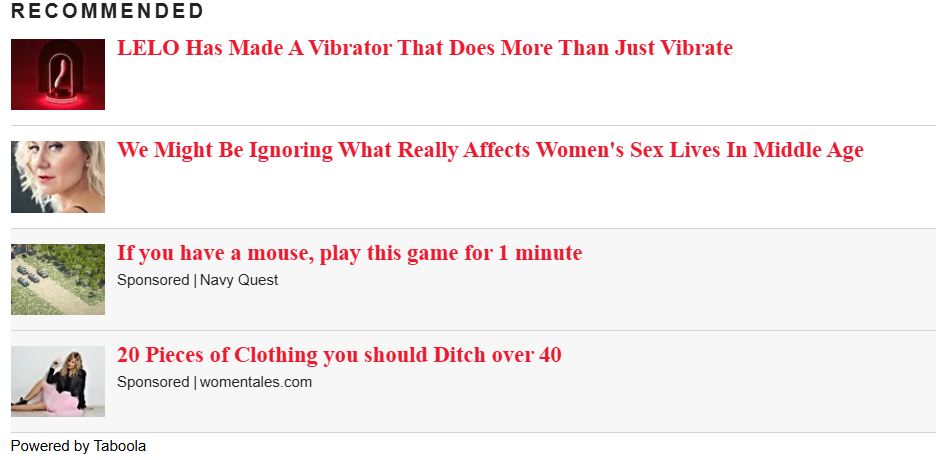
Let me say that again. HuffPost just didn’t give a damn. And this is a site we go to for our news. It’s an awful feeling, and I don’t want to go back. But here’s the thing: I don’t believe for one moment that HuffPost is alone. Plenty of sites will be the same, or worse. Going online is starting to feel like Russian roulette.
Saying no let Google in. On Epicurious, my careful Reject all was followed by Google’s ad cookie. When the lazy extension just hid the banner without answering, Google never turned up. My no did more harm than my silence. I still can’t explain that one.
The good ones were boring. GOV.UK: two buttons, same size, and two cookies, both just remembering my no. Calm. Boringly so. That’s what good looks like. Full stop.
4 · The receipts
The real numbers, straight through the open door
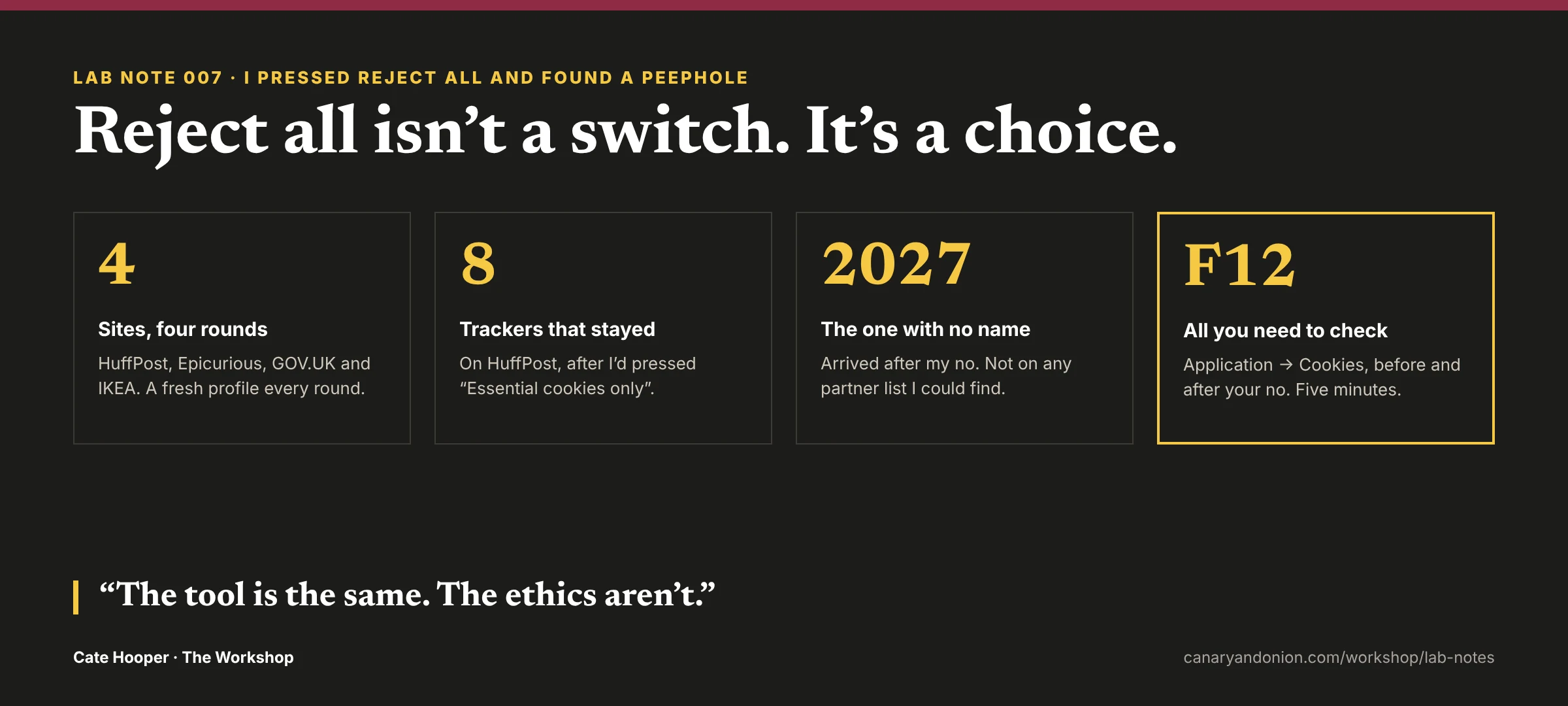
- 4 sites, 4 rounds, 2 browsers (Chrome and Brave)
- 8 outside trackers left on HuffPost after my no (“Essential cookies only”)
- 1 with no name, and an ID until 2027 (still a mystery)
- 221 of 222 partners told no on Epicurious (Google kept)
- 13 blocked by Brave on HuffPost, with no settings changed (out of the box)
- 0 tools installed to test it (just F12)
5 · What I’d do differently
Keep a log, not just a plan. I did have a method, and I stuck to it. Every round got its own fresh Chrome profile. With that many profiles open, I gave each one its own colour, so I could see at a glance which one I was in and never flick into the wrong one by accident. I also spread the rounds over different days, to keep my head clear and cut the risk of screenshotting the wrong profile, or visiting a site somewhere I shouldn’t have.
Even so, halfway through I started doubting myself. Had I been on IKEA in Brave before? Were the settings already set to no before I’d chosen? Was the whole thing wrong? I went home and ran it all again to be sure. It held up. What I was missing wasn’t a plan. It was a record: a simple log of which profile visited which site, and when, with the screenshot beside it. Next time, that log would settle the wobble in seconds.
Test more sites. Four is a peek, not a survey. I came away feeling I could read a company’s ethics from its defaults. That’s a big feeling to take from four sites, so the next step is to try it on a lot more.
6 · What this means for your site
If your site has a cookie banner, its defaults are yours. They’re your company’s manners, on show to anyone who looks. So go and check how yours behaves. It’s the first thing every visitor meets, and it can make or break their first impression. Here’s the check I ran, in five minutes:
- Start fresh. Open a private window (Ctrl+Shift+N in Chrome) and go to your site. Don’t touch the banner yet.
- Open the toolbox. Press F12 (on a Mac: Cmd+Option+I). Click the Application tab (it may be hiding behind the » arrows), then on the left, under Storage, open Cookies and click your site’s address.
- Look before you answer. Is anything there already? Anything beyond the basics your site needs to work was set before your visitor said a word.
- Press Reject all, then reload (F5), and look again.
- Read the names, not just the addresses. Other companies’ cookies don’t always show their own address. On HuffPost, Chartbeat and Parse.ly sat under HuffPost’s address, with names like
_chartbeat2and_parsely_visitor. If a name isn’t yours, search it: it’ll usually tell you whose it is. - Check the Expires column. A cookie that remembers your no is fine. A visitor ID that lasts until 2027 after a no is not.
What good looks like: after Reject all, just a cookie or two remembering the no, maybe a security check (Cloudflare’s, for example), and nothing from anyone else. That’s GOV.UK.
If yours doesn’t: it’s the setup, not the software. In your consent tool, switch everything optional off by default, put Reject all on the first screen next to Accept all, and if there’s a setting to honour the browser’s “don’t track me” signal (Global Privacy Control), switch it on. IKEA did.
The spec sheet
Tested on
HuffPost UK, Epicurious, GOV.UK and IKEA
Browsers
Chrome (a fresh profile each round) and Brave, out of the box
Rounds
By hand, Chrome’s settings, two extensions, Brave
Looked with
DevTools (F12): Application → Cookies, plus IKEA’s OptanonConsent record
Privacy rule
Nothing installed on anyone’s site. Just my own browser, looking
Plugins added
None
Built with
F12, four fresh profiles and a lot of screenshots